Selecting either Output Type generates different report formats with the same information.
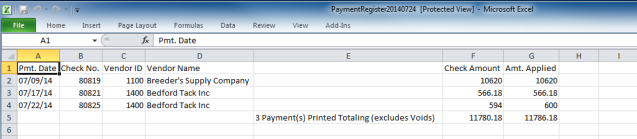
Payment Date and Check Number
The Vendor ID and Vendor Name are displayed.
The amount of the check appears in the Check Amount column.
The amount applied to the Vendor account.
A count of the number of payments made and totals the Check Amount and Amount Applied columns appears at the bottom of the report.